
Training needs and programs
Record and track needs, manage courses, dates, capacity and status, and use search, filters and reports.
Our products — Institutional training management
One environment for training needs, programs, instructors, classrooms, trainees and daily delivery. Information recorded at its source is reused in attendance, monitoring, reports and course portfolios, reducing manual work and clarifying responsibilities.
The live demo is hosted by P6H. Sign-in requires a trial account; contact us to arrange access and discuss your organization’s training scenario.
Select an image to view it in full, then choose actual size to read details. Navigate between images without closing the viewer.
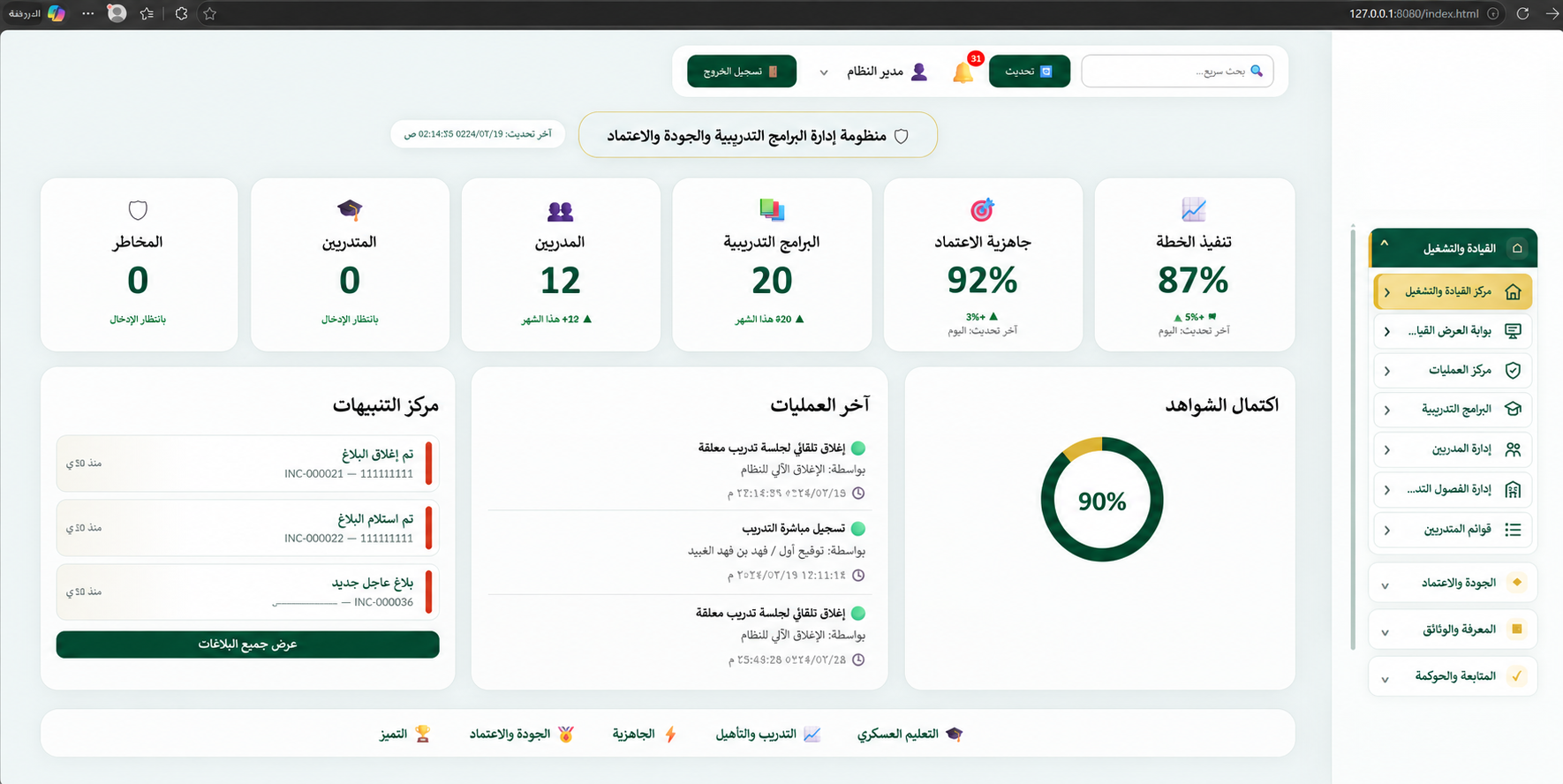 01 · Leadership dashboard
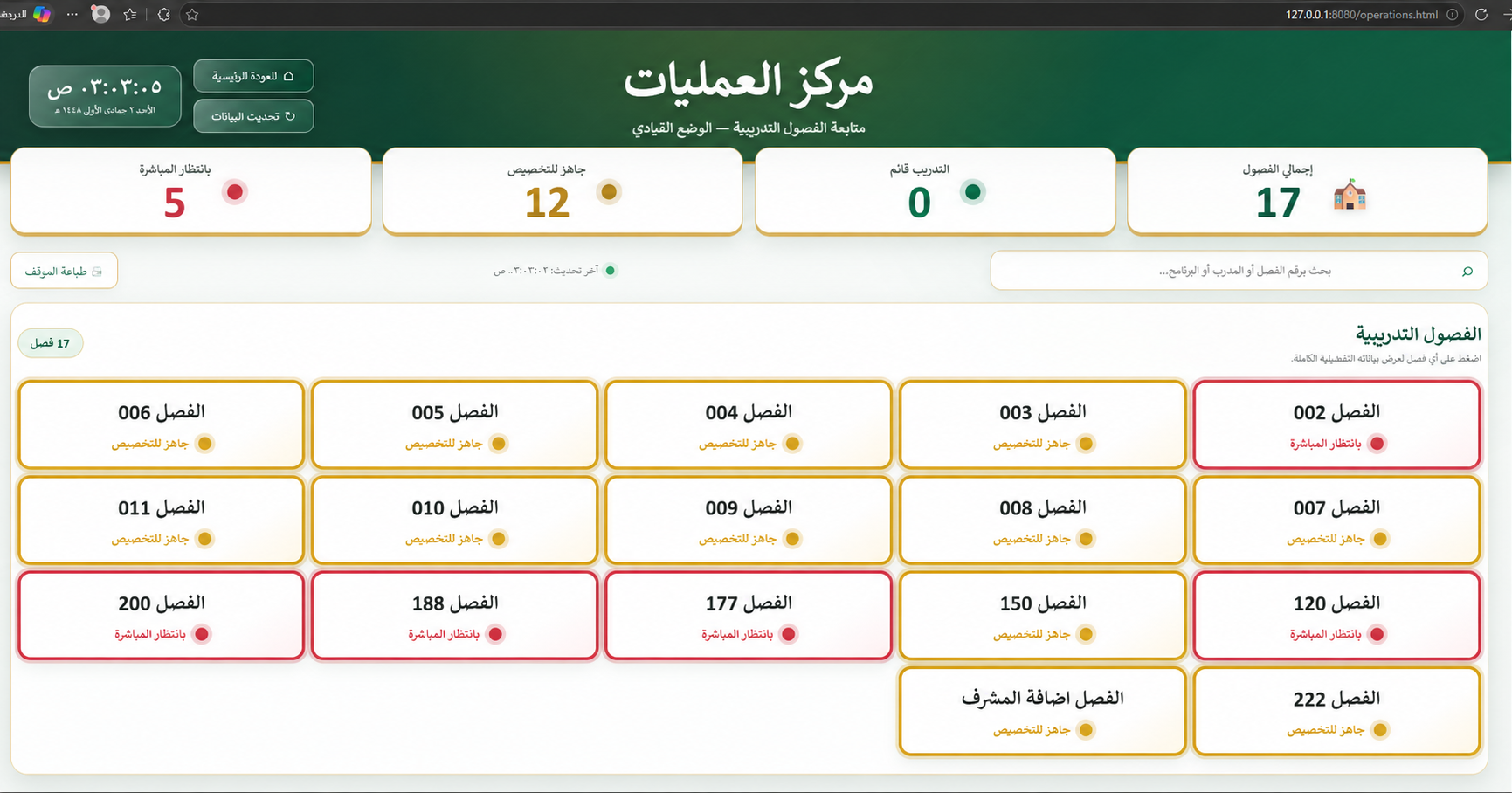 02 · Operations center
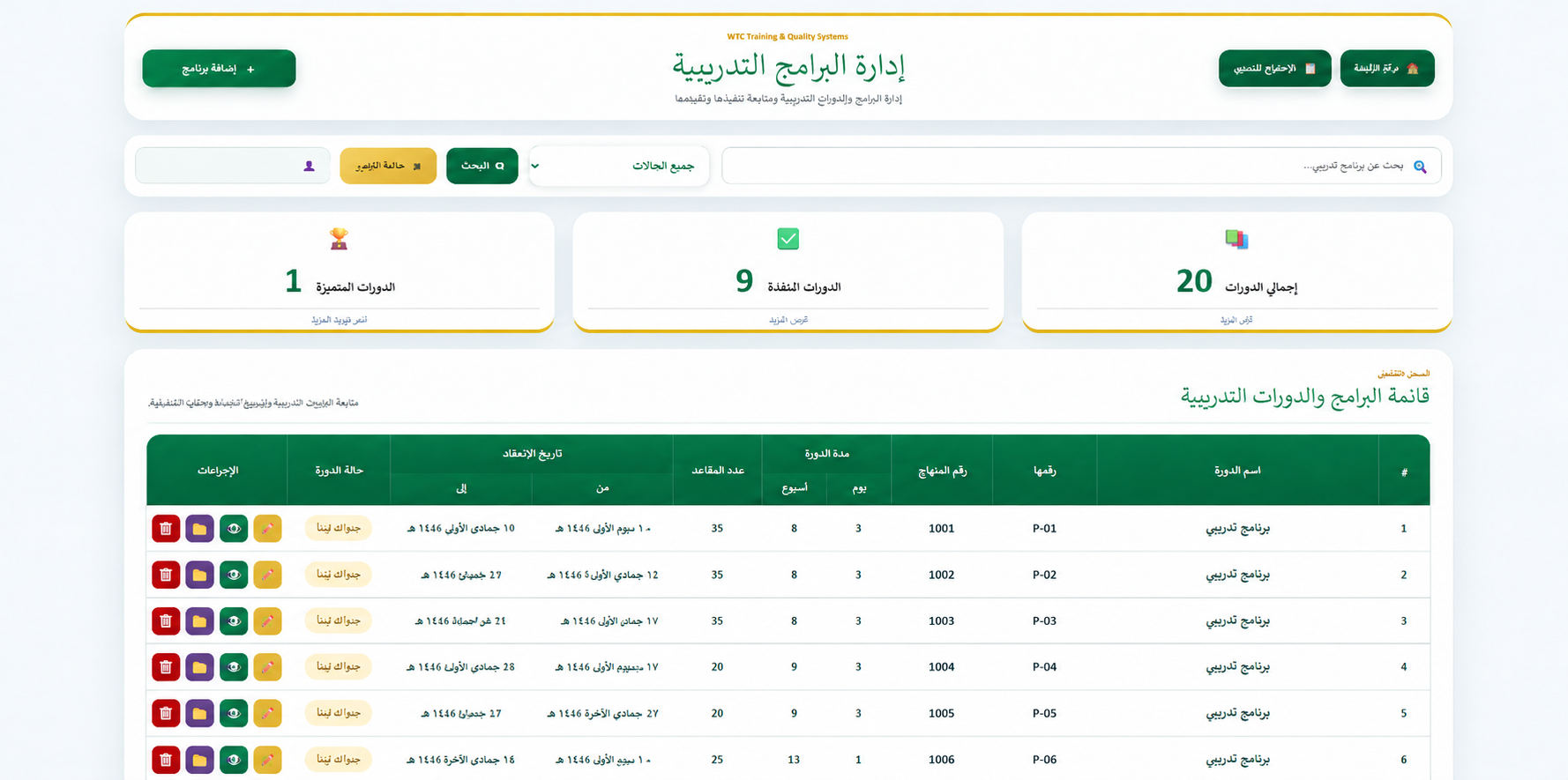 03 · Training programs
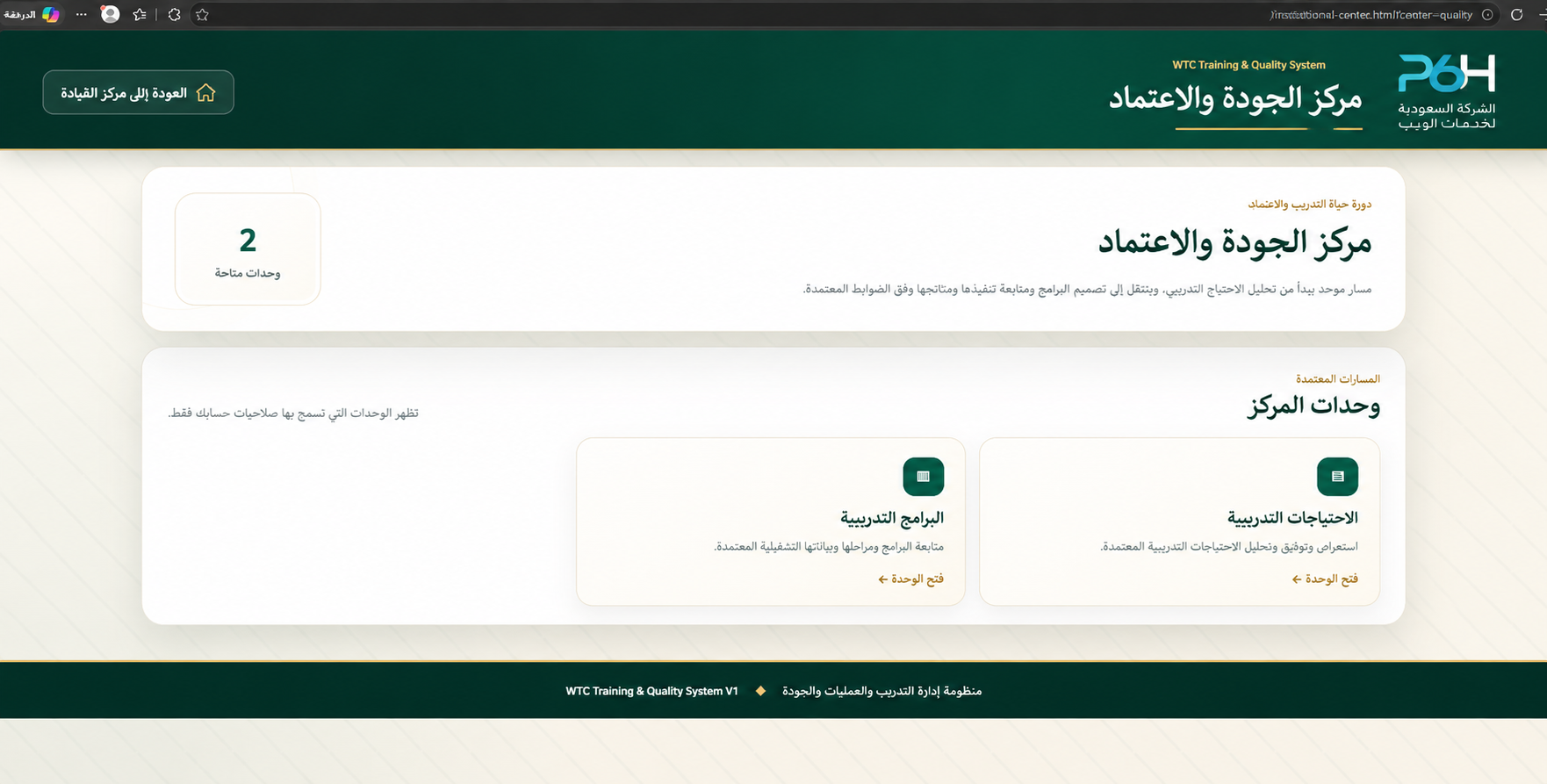 04 · Quality and accreditation center
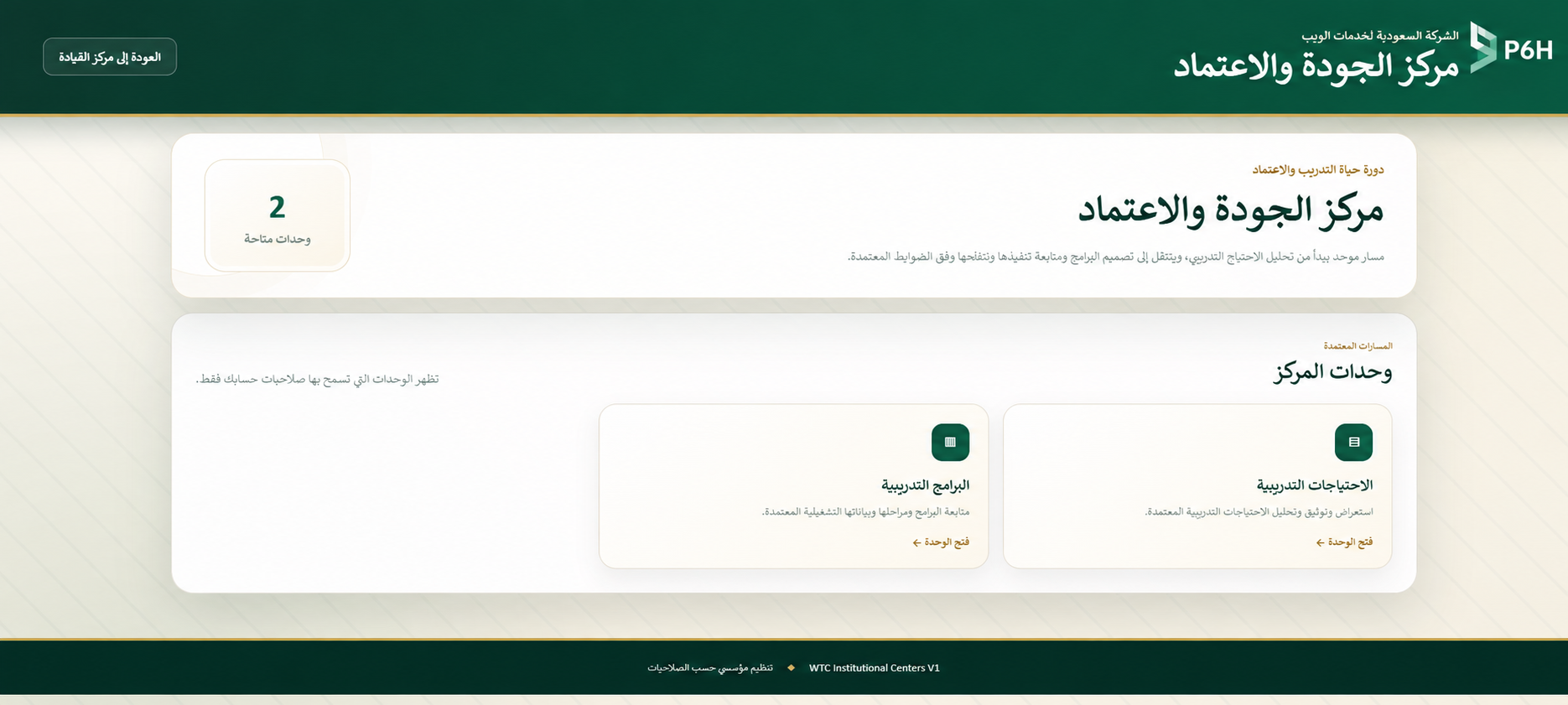 05 · Quality modules overview
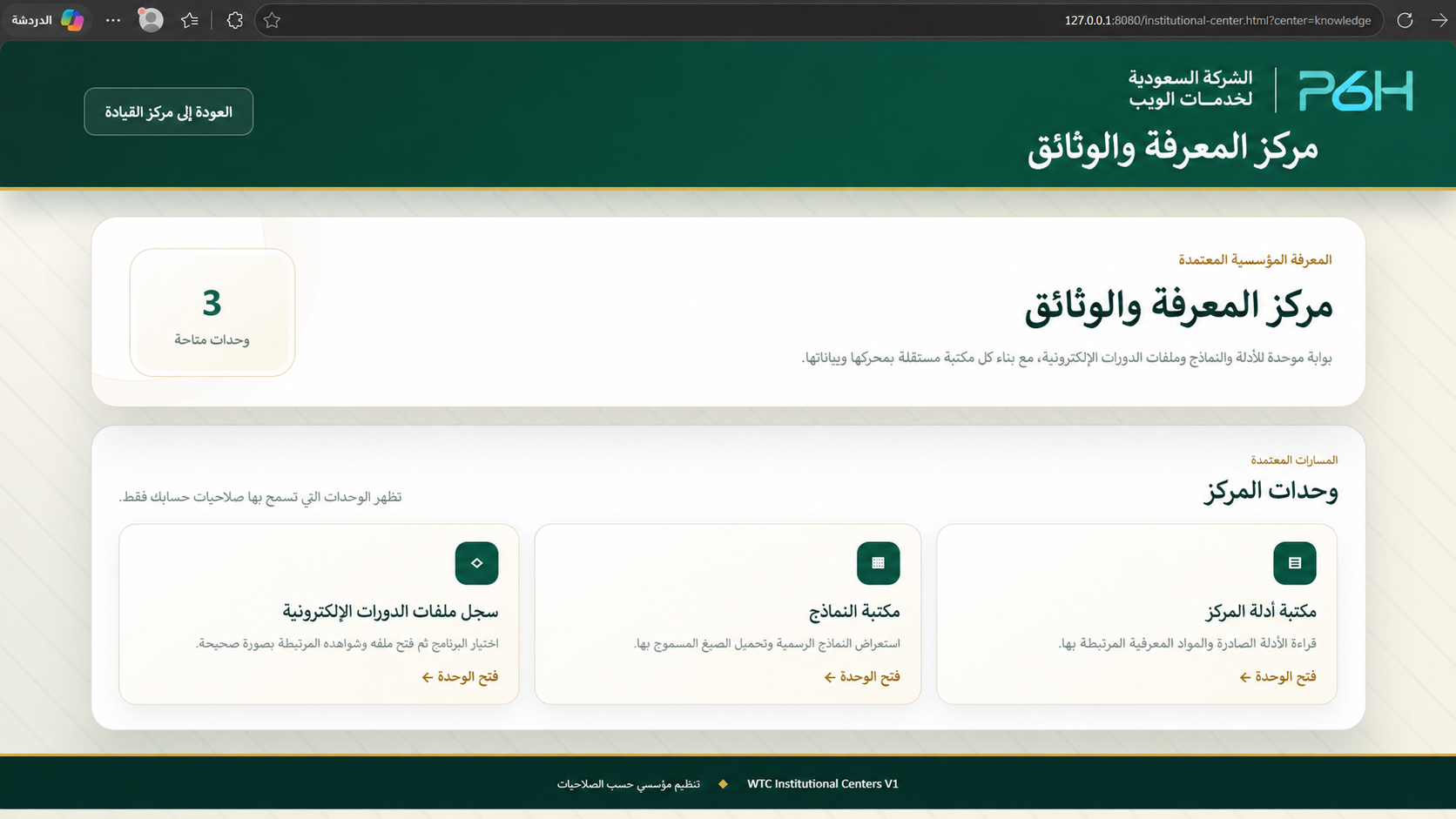 06 · Knowledge and documents center
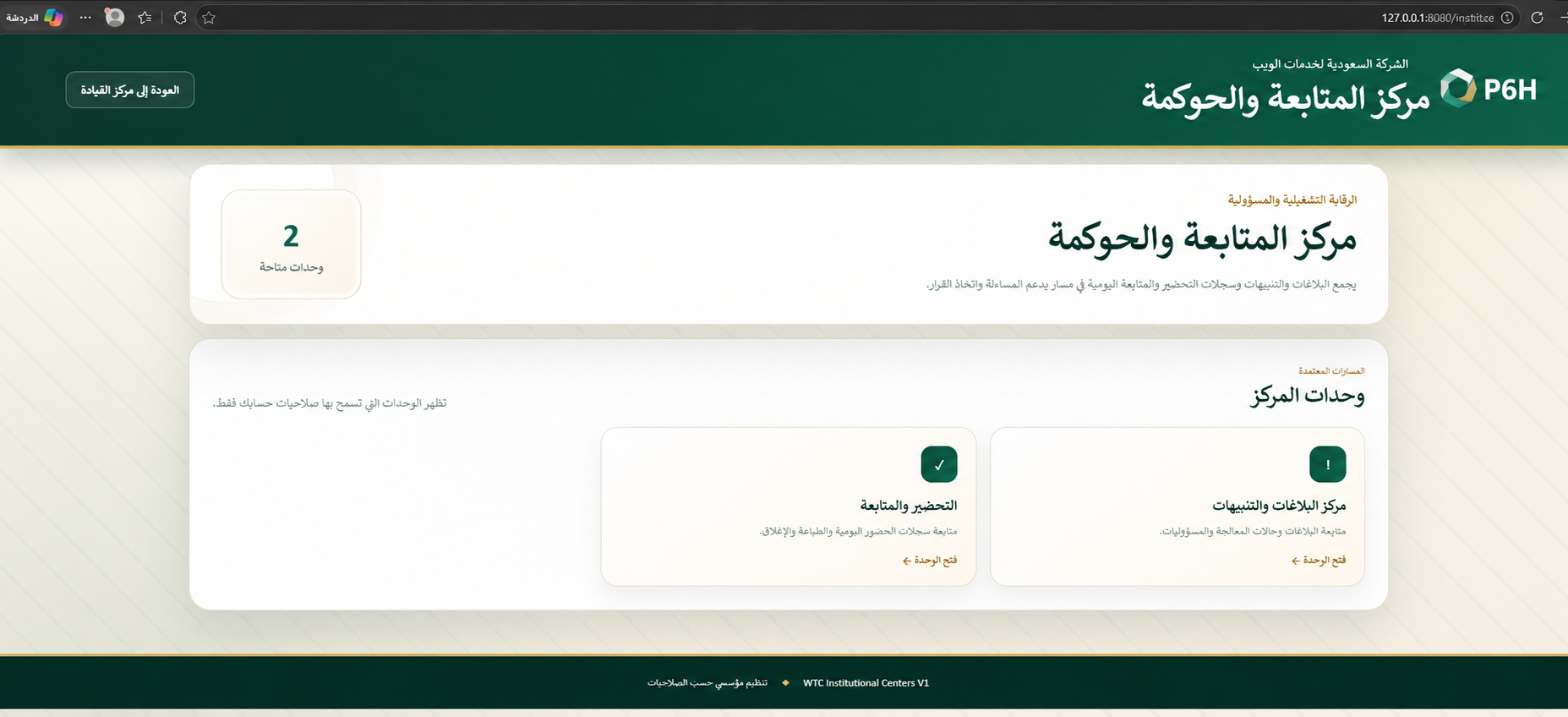 07 · Monitoring and governance center
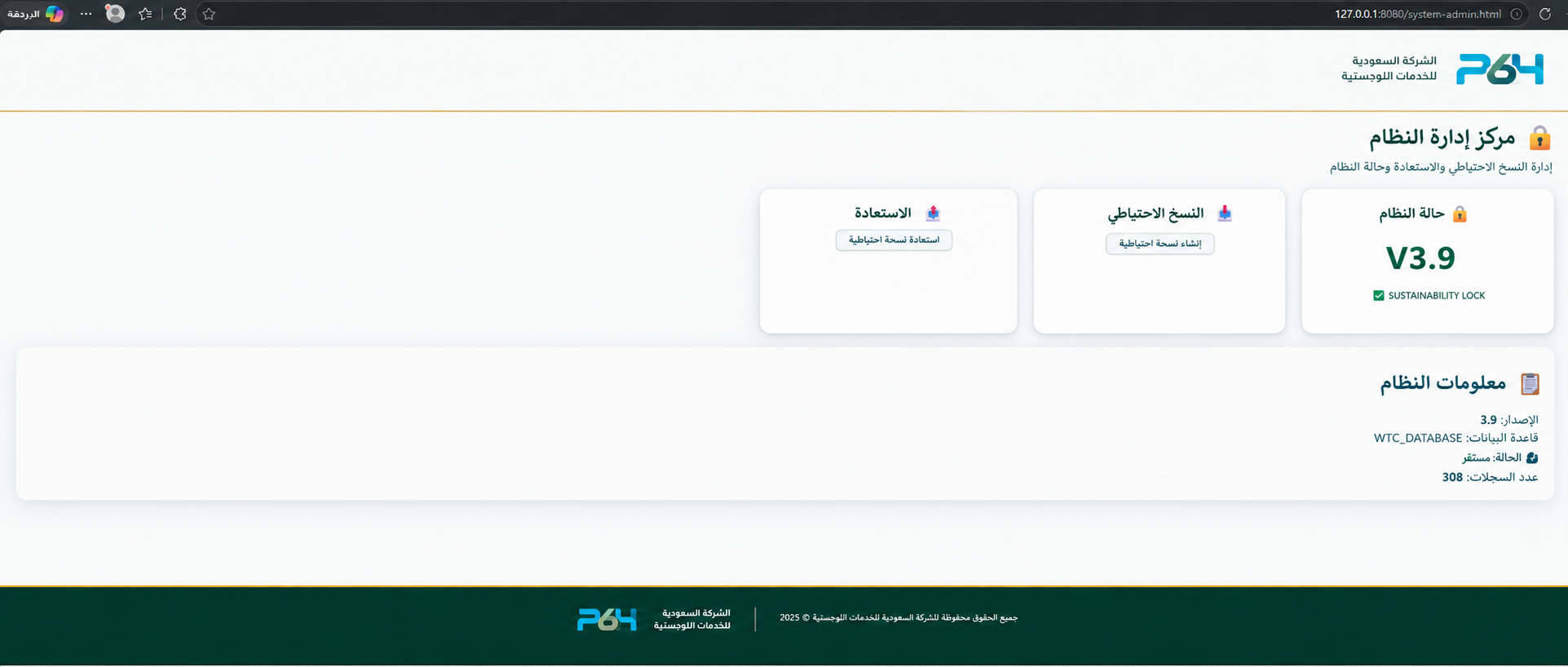 08 · System administration
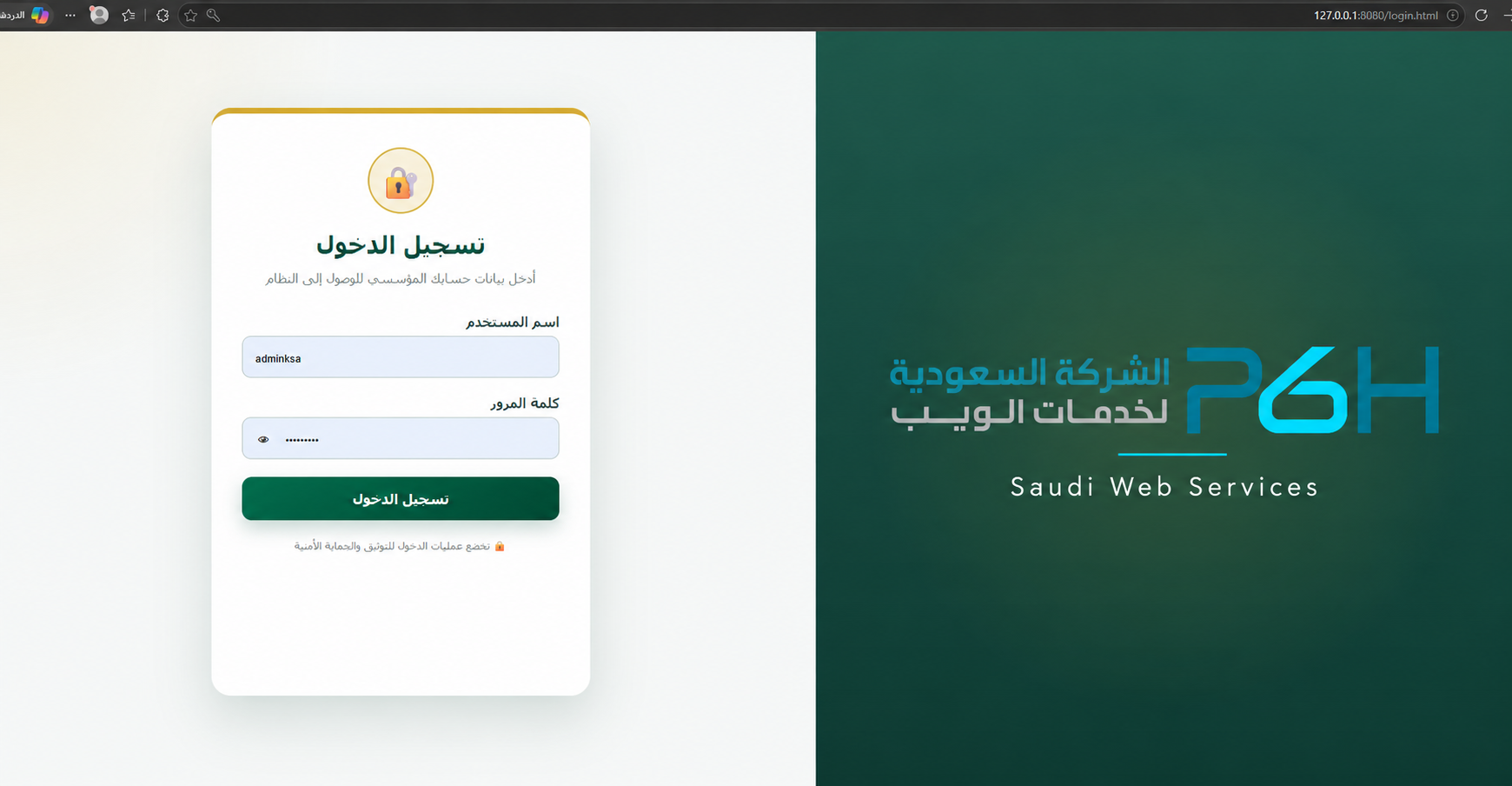 09 · Sign-in interface
Images show project interfaces. Displayed figures illustrate the screens and are not a promise of client performance results.
Record and track needs, manage courses, dates, capacity and status, and use search, filters and reports.
Central records for instructor specialties and status, classroom assignments, capacity and readiness, and trainee rosters linked to training.
Instructors access their assignments and record session start and end times linked to the classroom and program.
Record attendance by period from the session roster, save and approve records and monitor attendance without re-entering names.
Monitor classrooms, sessions, instructor starts and delivery status, with operational reports and an executive presentation of authorized information.
Record operational issues, priorities, assigned owners and follow-up actions through to closure.
Send instructors a summons with a date, location, subject and instructions, with a record for follow-up.
Document professional session observations for leadership to retain, direct or refer to the relevant team.
Organize institutional guides, versions, references and approved forms and make them available according to permissions.
Roles for administration, leadership, supervision, quality and instructors, with action logs, reports, printing, backup and restoration within administration.
The portfolio retrieves core course data from the program record and organizes documents, evidence and attachments, with completeness tracking, review, approval and closure according to permissions. It supports documents, images, video and multiple attachments per evidence item.
A shared data source reduces duplicate entry and inconsistent records. Monitoring shows who has started training, which classrooms are active and where intervention is needed. Evidence remains connected to its course, giving leadership and quality teams access to information without collecting scattered files.
The system runs in a web browser using an application server and a configured network, with user accounts and permissions. Setup, development and additional requirements are assessed against the agreed project scope.
WTC supports quality, documentation and review readiness. Test results can be stored as course evidence; this does not represent a standalone examination engine or the granting of official accreditation.
Discuss your training requirementsTraining management requires more than a course list: who needs training, why, who will deliver it, and how will decision-makers see its actual status? Connected records help teams organize this workflow and identify issues that need follow-up.
When selecting an employee training platform, start with the performance gap and intended skills. A training planning and monitoring system organizes needs, programs, dates, instructors and participant rosters so human resources teams can connect training with organizational work and track delivery.
Manual workflows often repeat course details, names and assignments across files. WTC connects programs, classrooms, instructors, rosters and attendance, with recorded session starts and incidents. The shared operational record helps training centers retrieve information without rebuilding it for every report.
Training quality requires clear procedures and reviewable records. The platform organizes responsibilities, course documents, evidence and improvement plans to support the institution’s quality evaluation process. Outcomes also depend on the content, instructors and assessment methods selected by the organization.
Practical guidance for training, HR and quality managers
Begin automation with an agreed workflow: a defined need, an approved program, an assigned owner, attendance records, and review and improvement. Use these steps when preparing an annual training plan or organizing a course, with clear records, responsibilities and follow-up dates.
Collect departmental needs and define the audience, priority and performance issue. Distinguish a general request for a course from an observable skill gap so you know what should improve after training.
Define the topic, dates, capacity and program owner. Review instructor and classroom availability and place programs within the approved organizational plan. Connected records help identify approved needs that still have no linked program.
Assign the instructor, review participant details and activate the correct roster before delivery. Attendance can then use recorded trainee names, while leadership follows the classroom, program and instructor in context.
Record session start and end times and period-based attendance, then approve attendance under the assigned permissions. Leadership can review active classrooms, open incidents and sessions requiring follow-up, with unrecorded data distinguished from absence.
Choose a baseline and suitable assessment method before training, then compare results after workplace application. Retain evaluations, test results and performance evidence in the course portfolio. Attendance confirms participation; impact requires professional measurement and an appropriate follow-up period.
Review the required documents and approve portfolio closure after completing the workflow. Turn findings into improvement plans with owners, due dates, measures and verification results, maintaining follow-up after the course ends.
Use this comparison to identify operational gaps. A successful transition also requires accurate data, trained users and approved record maintenance procedures.
| Follow-up need | Work spread across separate files | A connected management workflow |
|---|---|---|
| Needs and programs | Several files may need review to establish whether a need became a program. | Teams can follow approved needs and their linked programs. |
| Trainee attendance | Names may be re-entered and attendance assembled before reporting. | Attendance uses the session roster and exposes approval status. |
| Leadership decisions | Status is collected manually from several teams. | One dashboard brings together classrooms, attendance, incidents and follow-up items. |
| Quality and improvement | A finding can become separated from its owner and supporting evidence. | Course documents and improvement plans have responsibilities, due dates and recorded verification. |
Test a real workflow rather than relying on a feature list. Convert a need to a program, assign a classroom, enter a roster, approve attendance and follow an incident. Review permissions, reporting, backups and deployment, then select the system that fits your procedures and organization size.
WTC manages training operations electronically, from needs and delivery to monitoring and course portfolios. If you require an LMS for digital lessons, SCORM packages or a standalone interactive examination engine, specify those requirements in the solution scope; they should not be assumed to be included in the operational platform shown here.
It helps organize records, assignments, permissions, attendance, course documents and improvement plans. The organization first defines its structure, responsibilities, procedures and measures, then configures the workflow to connect training, human resources and quality teams.
Evaluation records, impact evidence and related documents can be organized in the course portfolio, with improvement outcomes tracked against agreed measures. The organization selects the assessment method, baseline and targets; attendance alone does not establish workplace impact or financial return.
The platform supports documentation, course portfolio reviews, quality evidence and improvement. Official accreditation depends on the requirements of the relevant body and the program or institution’s scope. P6H’s academic accreditation and readiness management product can be discussed separately where appropriate.
Open the live demo and request a trial account from P6H. Prepare a sample need, program, classroom and roster, and identify the information your training and quality managers need to see. The demonstration helps define deployment, configuration and customization before delivery.
The live demo is hosted by P6H. Sign-in requires a trial account; contact us to arrange access and discuss your organization’s training scenario.
The software can be developed and customized with features, reports and integrations required by your organization. Share your requirements so we can assess them and agree on scope, cost and delivery time.
Request development or customization
Support & contact
Choose the best way to get in touch

You have an existing conversation. Continue it or start a new one?
Start a new conversation with this contextI’m the P6H Assistant. I can help you explore our services and products, discuss your project, and connect you with a specialist when needed.
Confirming the details does not verify email ownership or mean P6H has accepted the project.
All times are in Riyadh time
Confirming your project details does not verify email ownership. Verification is required before booking; no account is needed.