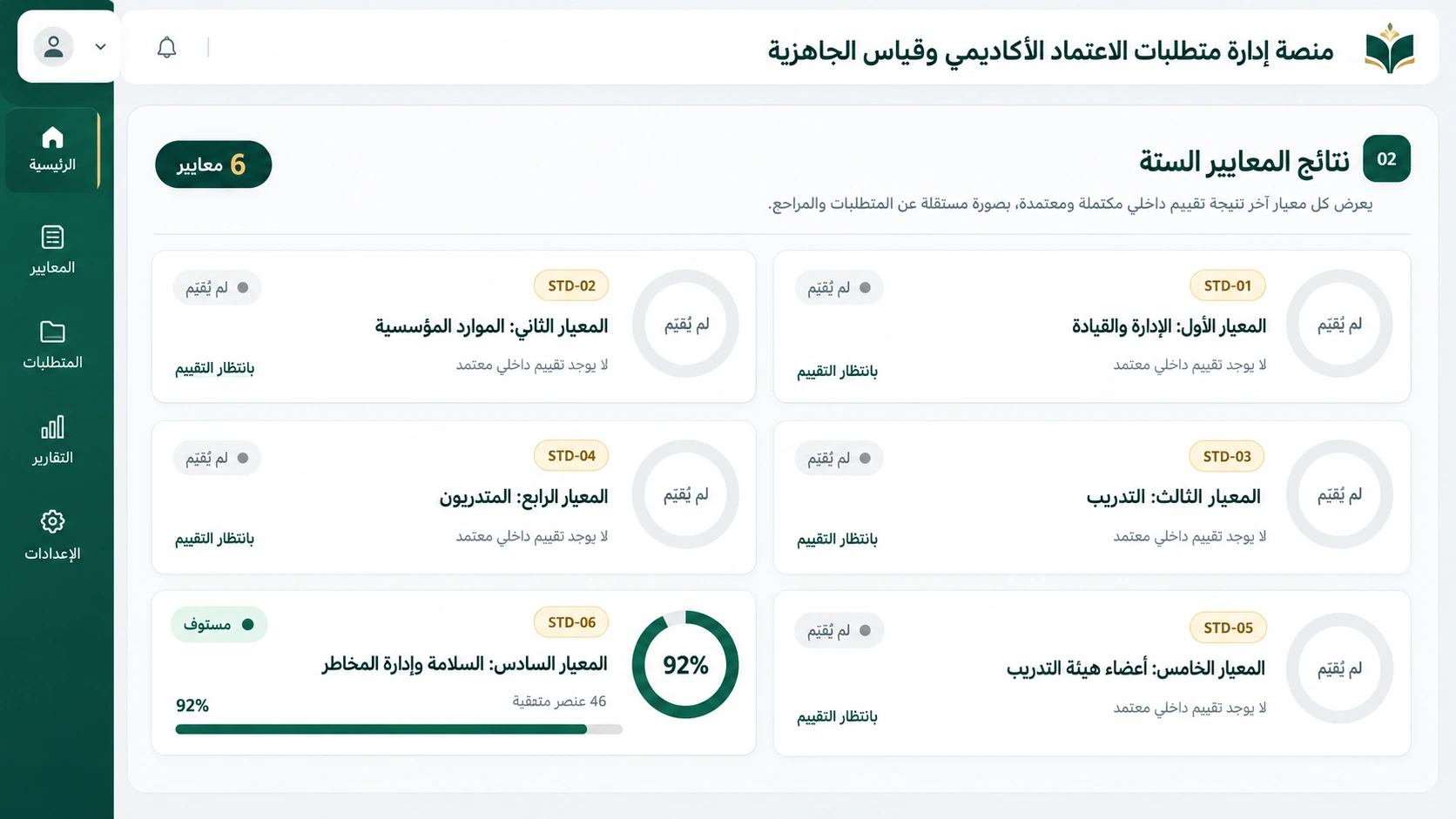
A digital workspace connecting quality teams, reports, evidence, reviews and evaluations. It helps educational and training organizations prepare and present coherent content to evaluators, replacing scattered folders, emails and files on individual computers.
Available to clients — configured for organizational requirements
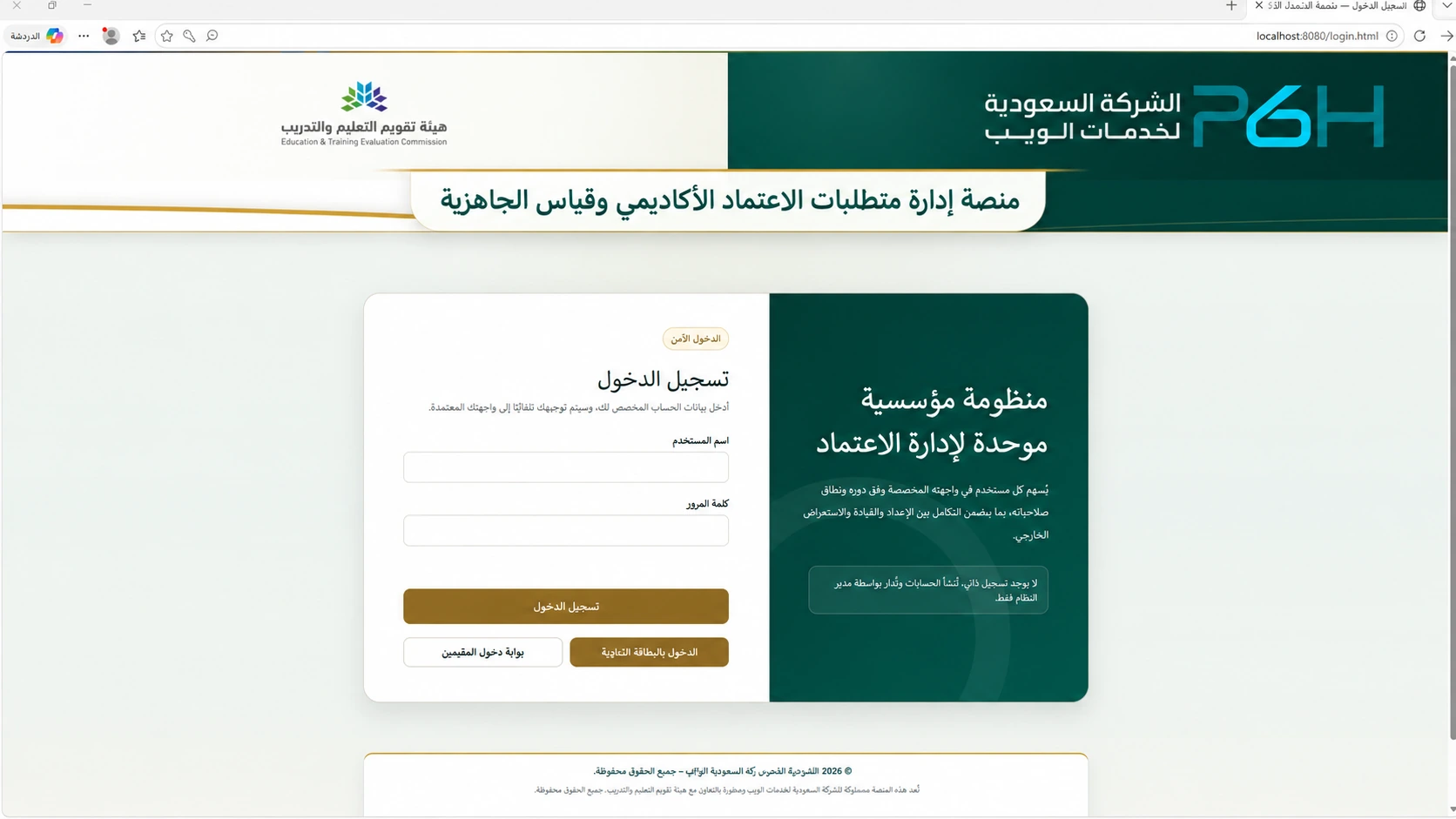
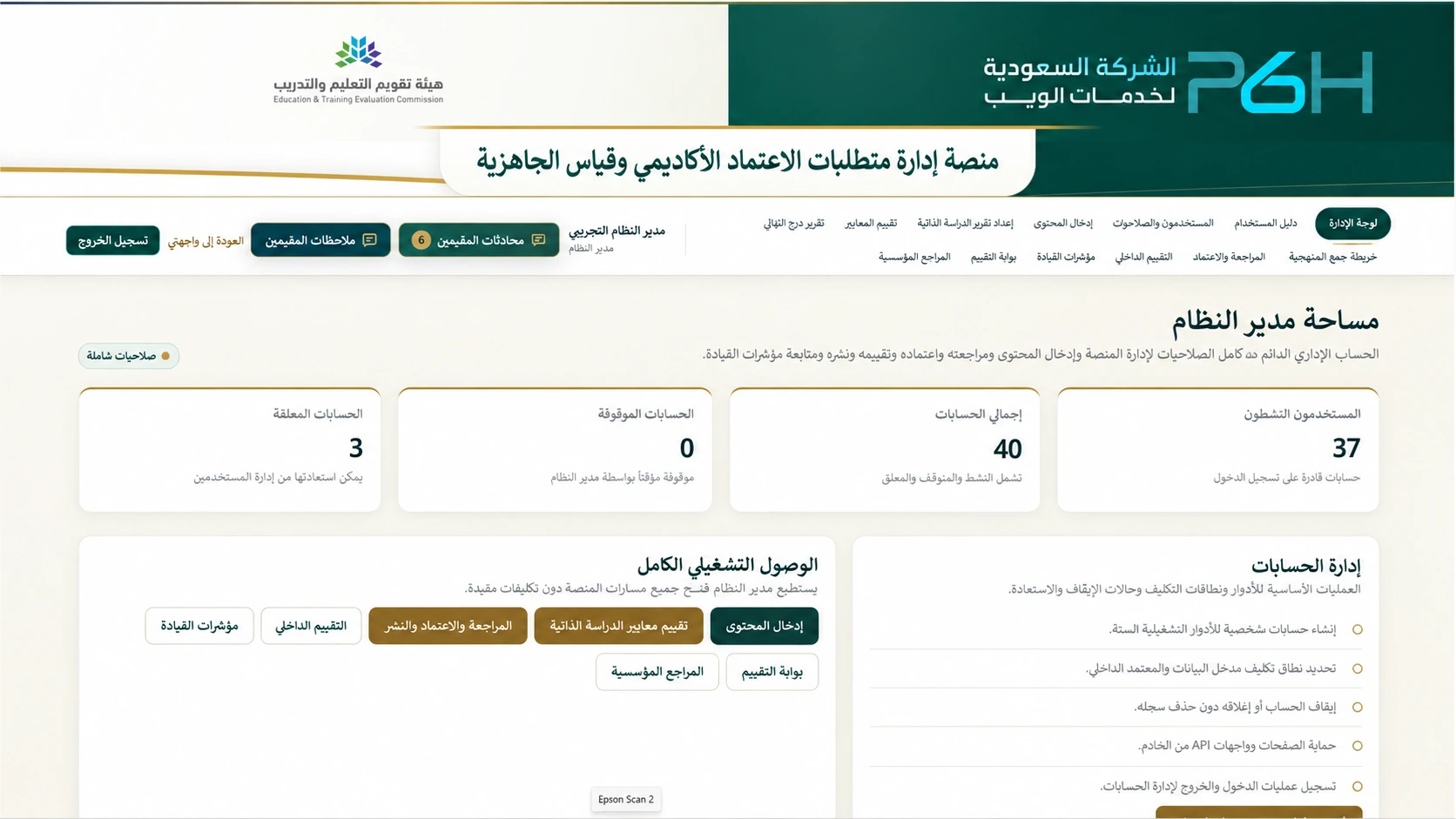
Explore the platform interface and roles using an illustrative demo. A view-only account is available on the sign-in page; a guided demonstration of other roles can be arranged.
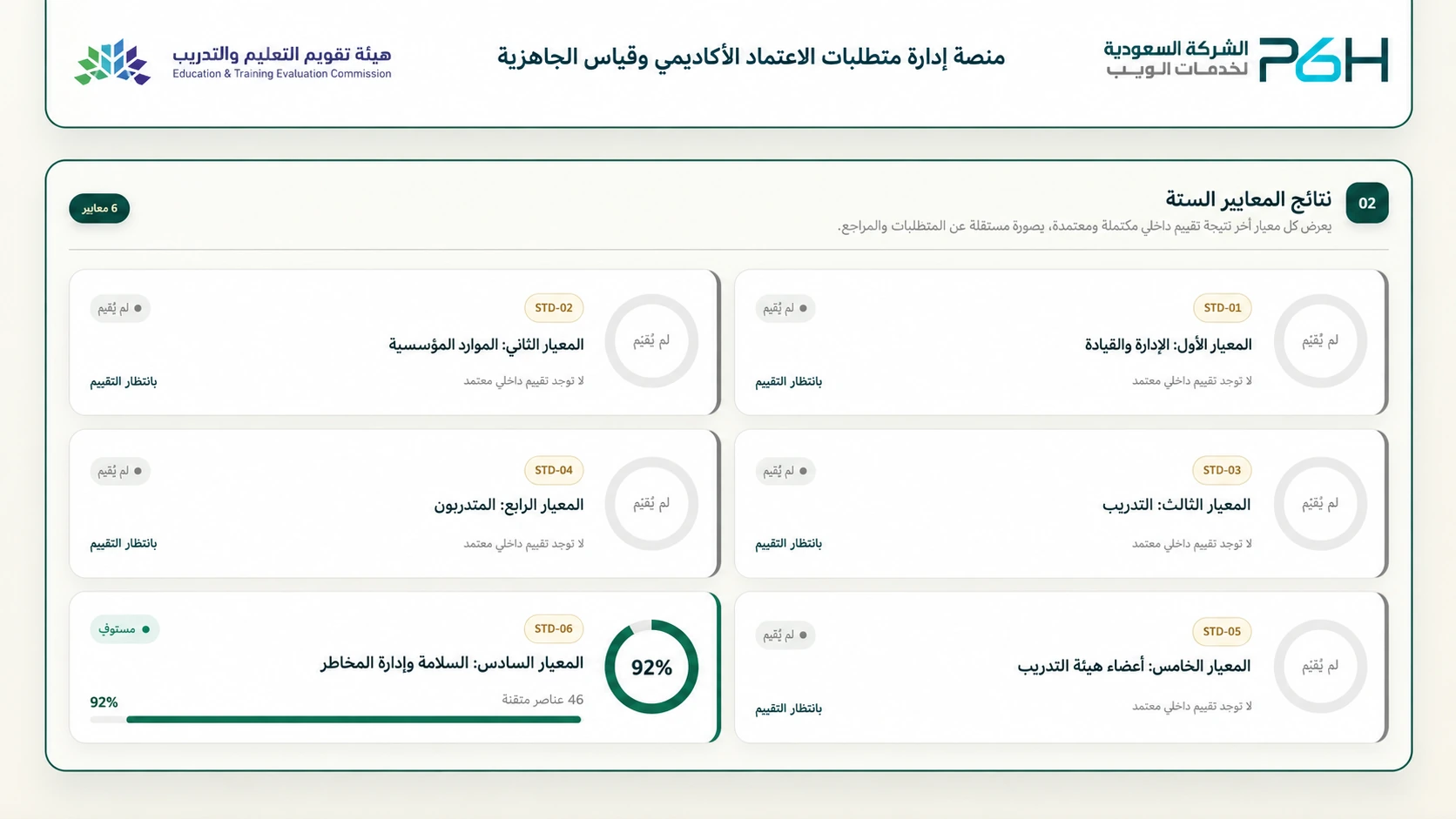
Images illustrate the project interface. Displayed figures are not official accreditation results.
Institutional requirements
5
Standards
6
Criteria
45
These figures describe the current implementation. Suitability and standards are reviewed against each organization’s accreditation pathway before delivery or development scope is agreed.
Deployment options: web access or a local installation
Choose an installation that fits your organization’s policy: a web platform accessed through a URL, or a local installation on an internal device without an external connection for daily operation. Both support accreditation requirements, standards, criteria, self-study reports, evidence and readiness tracking.
Option 1: Web platform hosted by P6H or your organization
Users access a dedicated URL with individual accounts and role-based permissions. This suits teams working across multiple devices and locations, subject to the organization’s access policy.
P6H hosting: we configure the agreed hosting environment, domain or subdomain and platform operation within the contracted service scope.
Your organization’s hosting: we provide a licensed copy of the platform software for your server or hosting environment after technical compatibility checks.
Server administration, updates, backups, recovery, support, storage capacity and access responsibilities are agreed before delivery.
The public demo illustrates the platform. Client installations are configured with the agreed institutional identity, accounts and settings.
Option 2: Localhost installation for restricted environments
The platform runs on a compatible Windows device inside the organization and opens in a browser on that same device. This suits sensitive locations and organizations that prohibit external connections or prefer to keep accreditation files within their own environment.
A local package includes the required runtimes and installation instructions, subject to device requirements.
Daily operation does not require internet access. Platform data and files remain on the designated local device.
Manual license activation: export a request from the client device, receive the issued license file and import it into the platform. No periodic online license verification is required.
The organization manages device security, access permissions, backups stored outside the device and recovery testing.
Localhost means access on the same device. Access across an internal network requires separate configuration and review of network and access policies.
Both options are supplied under an agreed usage license and delivery scope. A copy deployed on the client’s hosting does not include resale or redistribution rights. Installation, updates, support, hosting and backup services are defined in the quotation and contract.
Deployment and accreditation management questions
Can the accreditation platform work without internet access?
Yes. A local edition operates on the organization’s device after installation and manual activation, without an external connection for daily operation. Activation requests and license files can be transferred through a method approved by the organization.
Can the platform run on our own server?
Yes. A licensed copy can be provided after technical compatibility checks and agreement on operations, security, backup and support responsibilities.
How does the platform support accreditation readiness?
It helps quality teams organize standards, criteria and requirements, connect supporting evidence, review self-study reports and internal evaluations, and track readiness indicators. It supports organization and monitoring; it does not grant accreditation or guarantee an evaluator’s decision.
Academic Accreditation Requirements and Quality Assurance in Higher Education
Quality teams need connected requirements, clear responsibilities, evidence-based self-study reports and meaningful readiness indicators. The platform brings these activities into a workspace configured for the organization’s agreed accreditation scope.
Higher Education Accreditation Standards
Organize standards, criteria and requirements, connect supporting documents and evidence, and separate preparation, review and internal approval. Teams can track completion and identify work that needs attention before evaluator review.
Institutional vs Programmatic Accreditation
The institution or academic program’s scope, required documents, roles and reports are reviewed before configuration. Standards and review workflows are defined in the technical proposal; one configuration is not assumed to cover every accreditation pathway.
Accreditation procedure guides and self-study report templates
Organizations use the procedural guide and self-study report template applicable to their accreditation pathway. The platform helps organize the work, upload Word reports, read their content, connect evidence and support review. Official templates and guides remain available through their authoritative sources.
NCAAA standards and accreditation requirements in Saudi Arabia
For Saudi organizations, NCAAA standards and programmatic accreditation requirements of the Education and Training Evaluation Commission are reviewed within the agreed project scope. The organization identifies its applicable reference and version, and any necessary configuration or development is agreed before delivery.
Accreditation KPIs and readiness indicators
The leadership dashboard tracks readiness indicators, internal evaluation results and progress against standards and requirements. Organization-specific accreditation KPIs require agreement on definitions, data sources and calculations. Existing readiness indicators do not imply coverage of every official KPI.
What does the platform provide?
One organized workspace for preparing requirements, reviewing evidence and making approved content available.
Standards and requirements management
Content is organized around accreditation standards and requirements, allowing users to reach each standard and its related information and evidence without searching through numerous files.
Evidence linked to standards
Evidence is connected to the content it supports and to the relevant standard or requirement. Quality teams and evaluators can move directly from a requirement to its supporting evidence.
Multiple evidence formats
Documents, Word and PDF files, images and supported video materials form part of the review experience, keeping evidence connected to the content it illustrates.
Review, approval and publication
Separate preparation and review stages from approved, published content. Approval in this workflow is internal content approval, not the granting of accreditation to the organization.
Centralized content management
Reports and evidence are managed centrally rather than circulated as multiple copies, helping teams identify the approved material they should use.
Internal and external evaluation
A workspace for internal assessment results and criteria review, plus access to published content for authorized external evaluators instead of scattered archives and links.
Leadership readiness dashboard
Track assessment outcomes, progress and improvement needs, with distinct indicators for institutional requirements, standards and institutional references.
References, roles and permissions
Organize policies and institutional references, with responsibilities for administrators, contributors, internal approvers, internal evaluators, leadership and external evaluators.
Word
Smart document reader — content and evidence in one review experience
Read Word document content within the platform in an organized format that preserves important elements:
Text and paragraphs.
Numbering and multilevel lists.
Tables.
Nested tables.
Content order suited to review.
Table column widths adapt to the content, while large tables remain navigable. Review a criterion’s report and supporting evidence in one place to understand how the evidence supports the report.
Who can benefit?
The platform is particularly useful where many standards, documents and evidence items involve several teams or committees. Potential beneficiaries, subject to their accreditation pathway and customization requirements, include:
Government and private training and qualification centers.
Institutes, higher institutes, and education and training academies.
Public and private universities, colleges and academic program teams.
Private and international schools and education groups.
Training academies within organizations and companies.
Military and security education and training institutions, according to their applicable pathway.
Users within the organization
Quality, accreditation and institutional development departments.
Teams preparing accreditation reports and evidence.
Internal review committees and approvers.
Authorized evaluators and reviewers.
Leadership teams monitoring quality and accreditation readiness.
Practical value for your organization
Turn scattered accreditation files into an organized process that can be tracked and reviewed.
Less time spent searching
Reach a standard and its related content and evidence in one place instead of searching multiple folders and files.
Clearer accreditation submissions
Linking standards to evidence makes the relationship between requirements and supporting material easier for reviewers to understand.
Less fragmentation
A central reference reduces reliance on multiple copies, personal folders and unstructured file sharing.
Better internal review
Review content and evidence in the format evaluators will use, helping identify gaps or unclear supporting material before evaluation.
Support for teamwork
Teams work from organized institutional content and a shared reference rather than each member’s individual files.
Continuity of work
Information and evidence become part of an institutional workspace rather than remaining tied to an employee’s computer, folder or correspondence.
How is the platform used?
Prepare content
Organize accreditation requirements and standards and add the related content.
Add documents and evidence
Upload supporting material that demonstrates or explains fulfillment of requirements.
Use the document reader
Review documents, text, numbering and tables within the platform.
Link evidence to standards
Identify the relationship between each standard and its supporting material for direct review.
Review and organize
Check content and readiness before internal approval for publication and use.
Evaluate and inspect
Authorized users and evaluators navigate standards, content and evidence in a clear structure.
The outcome: a digital workspace for the accreditation file, presenting requirements, documents and evidence in an organized format for review and follow-up.
Developed and customized around your organization
Additional features, reports and dashboards, tailored roles, review workflows and standards, and integrations with other systems can be assessed. Development scope follows a review of organizational and technical requirements; these options do not imply that every extension is already implemented.
The platform supports quality management and accreditation readiness. It does not grant accreditation or operating licenses, guarantee evaluation outcomes, or replace official procedures.
The software can be developed and customized with features, reports and integrations required by your organization. Share your requirements so we can assess them and agree on scope, cost and delivery time.