
Employee and visitor records
Manage details, photos, status and departments, plus visitor documents, visit purpose and host department, providing a consistent reference for issuance and verification.
Our products — Gate and permit systems
An Arabic system connecting employee and visitor records, permit and card issuance, barcode verification and entry and exit logs. Gate operators see the person’s photo, verification result and reason on one screen, while administrators use records, reports and defined responsibilities to monitor movement.
Open an image to inspect its details, move between images or select actual size for a clear view.
 01 · Sign-in interface
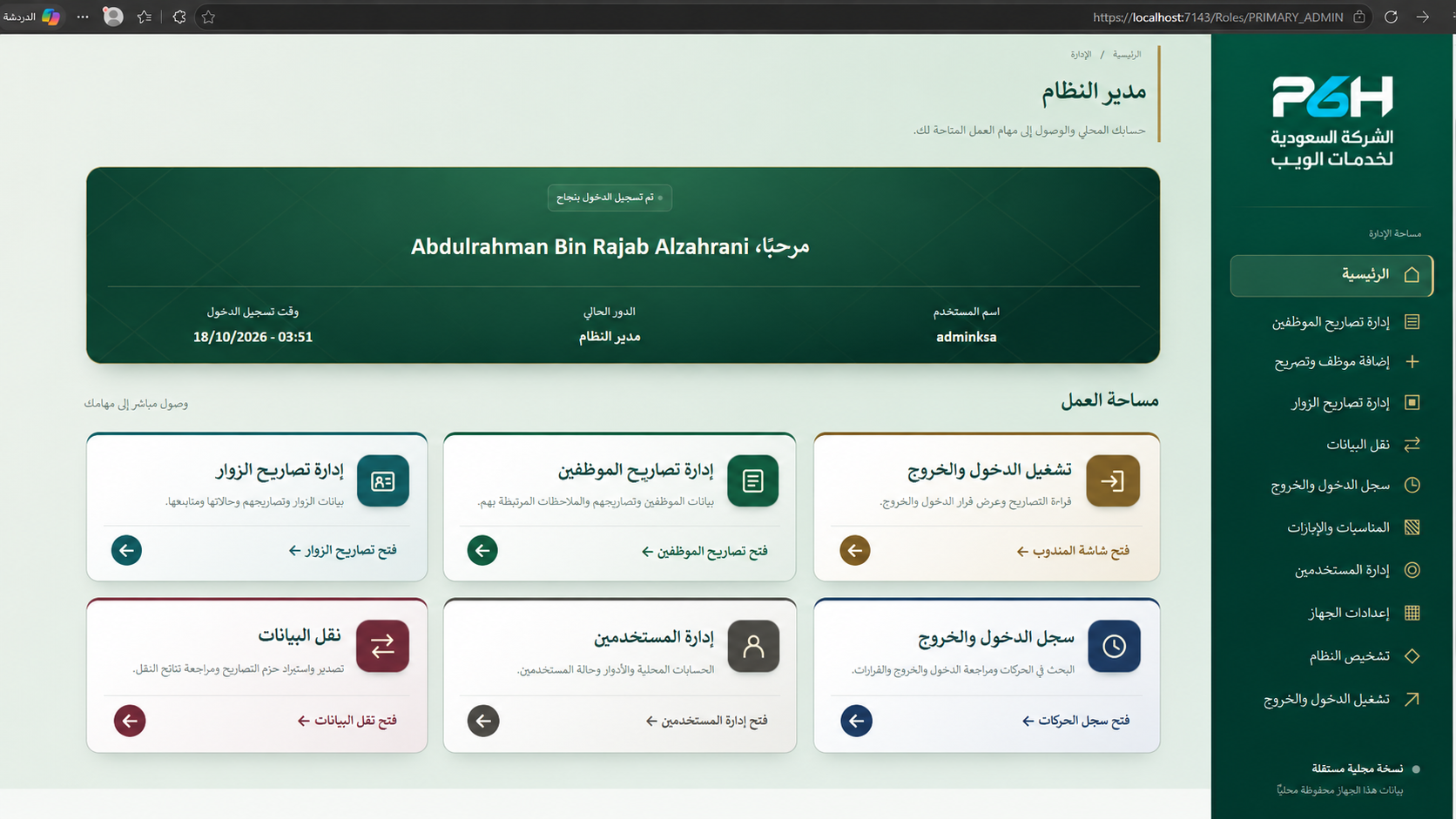 02 · Administrator dashboard
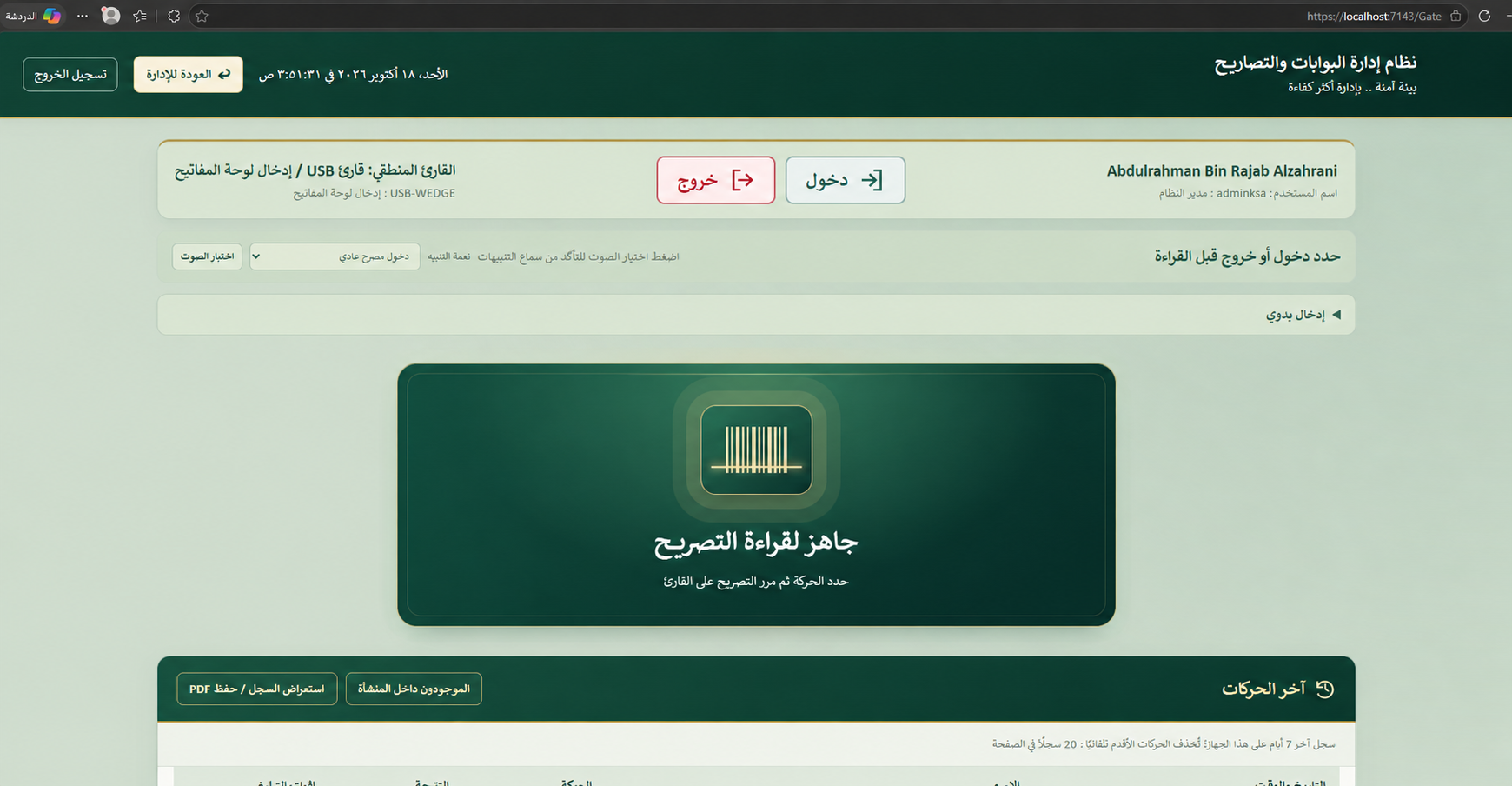 03 · Gate operations
 04 · Verification and entry decision
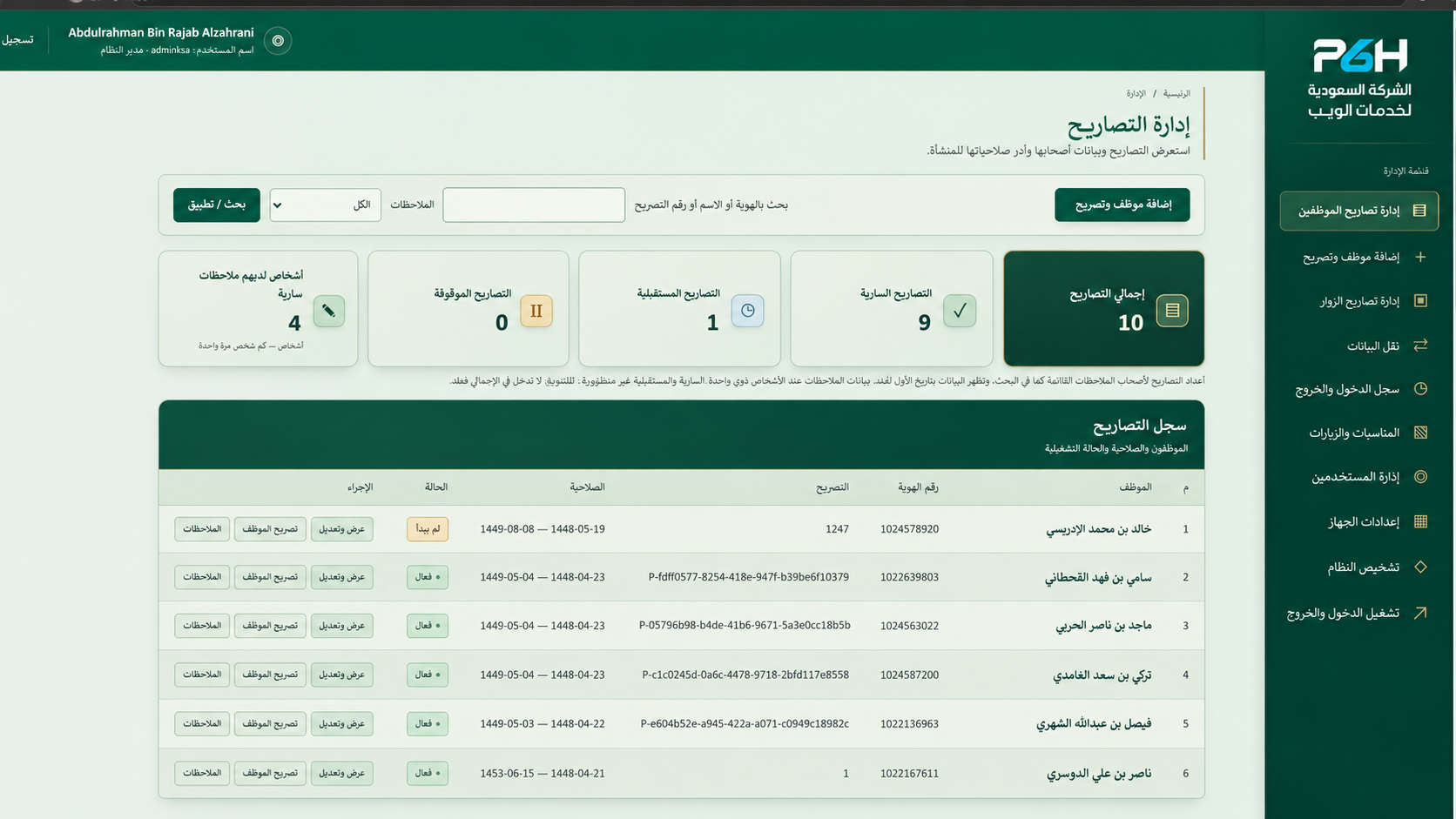 05 · Permit management
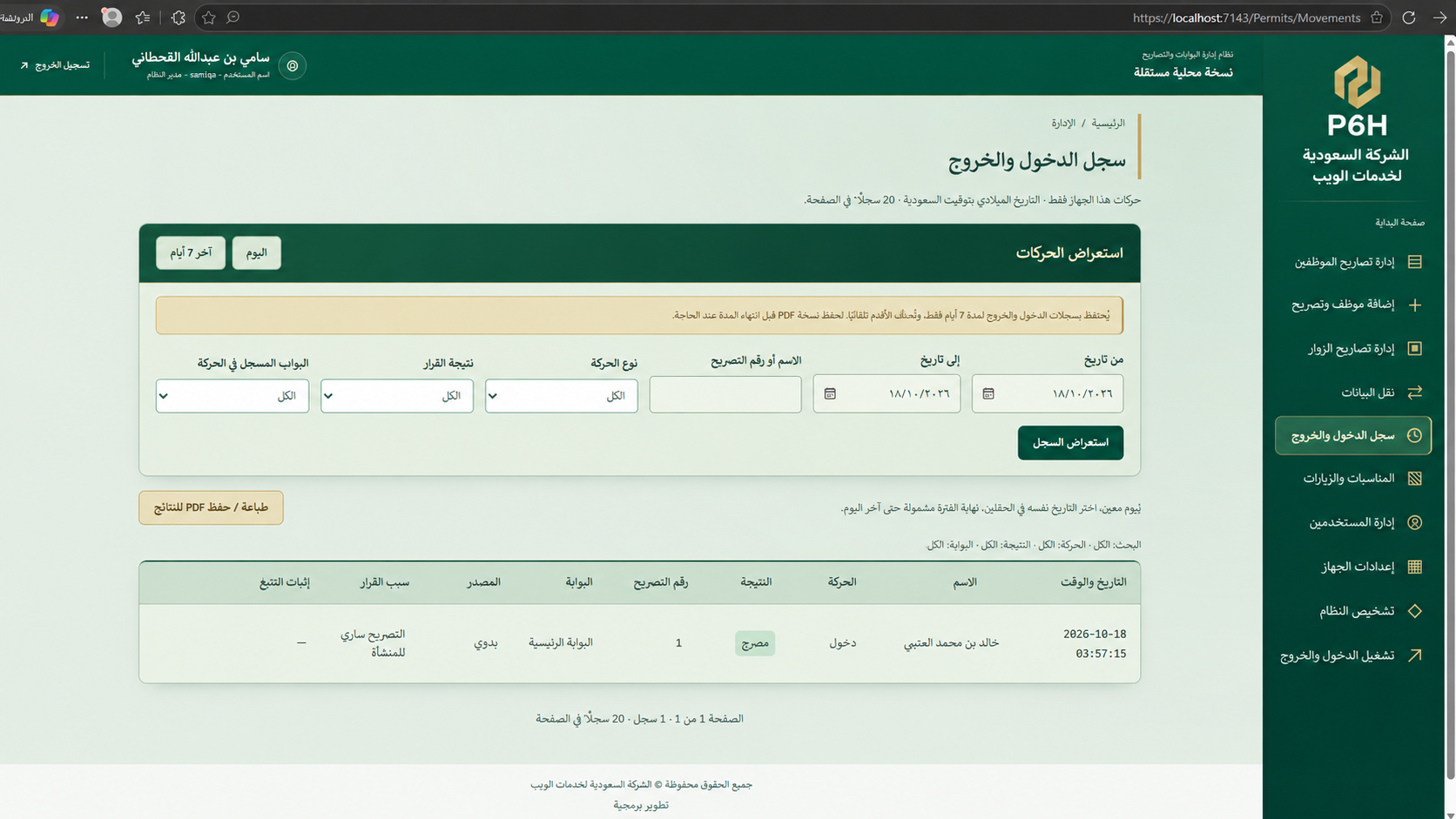 06 · Entry and exit log
Images illustrate system interfaces and the user experience.
Manage details, photos, status and departments, plus visitor documents, visit purpose and host department, providing a consistent reference for issuance and verification.
Set validity and access hours or all-day access, suspend, reactivate or cancel with a reason, and issue printable cards. The barcode is independent of the administrative permit number.
Display whether an employee or visitor may bring a vehicle, helping operators apply the appropriate procedure.
Record alerts, review requests or passage restrictions for entry, exit or both, with expiry dates and confirmation that the person was informed when needed.
Record movement, user, time, direction and verification result, and show people with a recorded entry but no recorded exit within the operational record scope.
Search people and movements, review occupancy and departure follow-up, and record verification results with the authorized user’s identity and action time during their assignment.
Prepare personal details, permits and photos using a local departmental tool. Export and import encrypted packages with previews, integrity checks and conflict checks before confirmation.
Roles for operators, supervisors, administrative managers, system administrators and authorized monitoring staff, with server-side authorization and records of sensitive actions.
Search and filter by period, direction, decision and operator. Print or save PDF through the browser, with operational times displayed in Saudi time.
Manage event content and images, publish or archive them, and schedule banner visibility within the system.
When a barcode is scanned, the system checks permit status, validity dates, access hours and active notes for the direction of movement. It displays the person’s photo, verification result and vehicle access permission. Compatible keyboard-input barcode readers are supported, with a separate manual entry path for authorized users. Visual identity checks and the decision to allow or refuse passage remain the operator’s responsibility.
Reduce reliance on paper lists and scattered messages. Administrators review permits and movement records, operators quickly access photos, decisions and notes, and departments prepare data in advance while authorized staff retain final review. Personal accounts and action logs clarify responsibilities.
Yes. Each has records, permits and cards. Visitor data includes identity documents, visit purpose and the host department.
Yes. Vehicle permission is part of the person’s permit and is shown clearly to the operator. It is not a separate vehicle permit.
The presented functions read barcodes, display verification decisions and record movement. Direct barrier, fingerprint or facial recognition integration is not included in this description.
Authorized staff or departments prepare data for review by the responsible team. This version does not include a visitor self-service request portal or a multilevel electronic approval workflow.
Search, filter, print and save PDF through the browser print dialog. Current retention is 7 days for movement records and 30 days for departure follow-up events. Required reports should be saved before expiry under organizational policy.
Authorized staff document verification results within their assignment period. Confirming departure in follow-up does not automatically create an exit event, and a denied attempt is not treated as successful passage.
The system runs on independent devices, over an internal connection and network, or on a server and web hosting for access over the internet. Connectivity and access are configured to meet the organization’s operational and security requirements. Local installations work without internet after setup, with encrypted permit update packages for independent devices.
In independent-device mode, each device must import updates, and its occupancy list reflects locally recorded movements. Data and access arrangements for network and hosted deployments are defined during setup.
Discuss your gate and permit requirementsThe software can be developed and customized with features, reports and integrations required by your organization. Share your requirements so we can assess them and agree on scope, cost and delivery time.
Request development or customization
Support & contact
Choose the best way to get in touch

You have an existing conversation. Continue it or start a new one?
Start a new conversation with this contextI’m the P6H Assistant. I can help you explore our services and products, discuss your project, and connect you with a specialist when needed.
Confirming the details does not verify email ownership or mean P6H has accepted the project.
All times are in Riyadh time
Confirming your project details does not verify email ownership. Verification is required before booking; no account is needed.